Journals ask for an essay.Most days give you three photos and a song.
Memori is a native iOS journal that keeps a day as fragments (photos, a line, a quote, its soundtrack) and files them into chapters you want to reopen.
Dark
Light
My role
Concept and product design · wrote the SwiftUI for Capture, Chapters and Recap
Team
The Memorables · 5 people, Apple Developer Academy, Naples
Built with
SwiftUI · on device, no account
Status
Working build · App Store next
01 — In 30 seconds
The problemJournals ask for an essay. Most days give you three photos and a song.
What we didA survey of 50 people, 5 interviews and 4 usability tests. Then paper, a moodboard, Figma and SwiftUI.
The key decisionSave first, organise later: everything lands in today and can be filed into a chapter any time.
The resultA working native app: 19 screens, 6 ways to capture, 3 layouts, and one rule we kept coming back to: fewer features, more memories.
02 The problem
The camera roll has become a memory graveyard: everything is saved, nothing is remembered.
50people surveyed
5interviews
4usability tests
We asked 50 people whether it was just us. Many had a hard time remembering the important moments of their own life: not because they didn’t care, but because nothing helped them keep those moments. Photos live in the camera roll, thoughts in notes apps, songs in playlists, and none of them remember the day together.
So the brief became: not a journal (nobody wants homework at the end of the day), but something closer to scrapbooking, without the work.
03 Sketch, feel, design, build
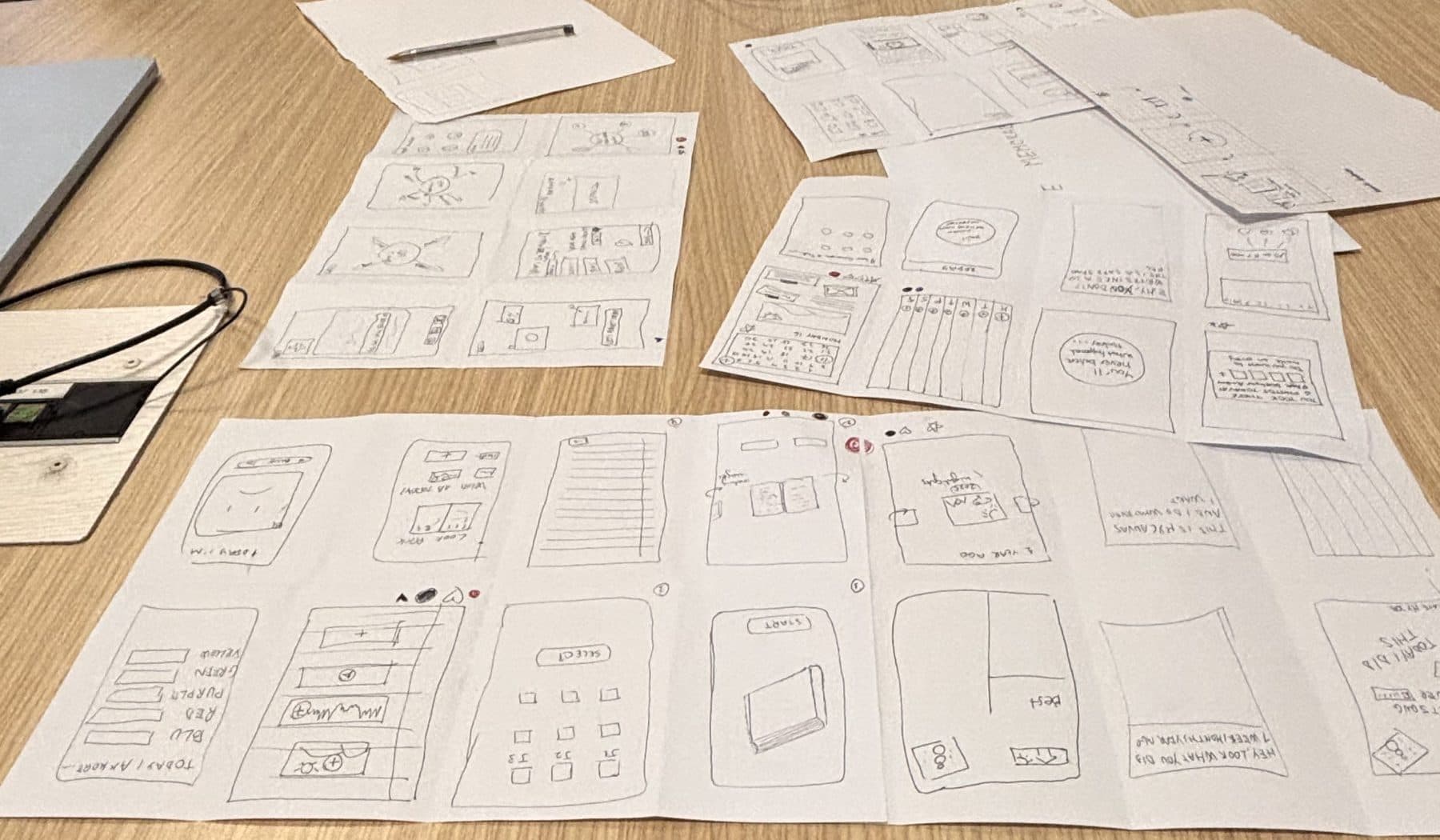
Sketch.Every idea started on paper. Paper is cheap, so we could throw ideas away fast.
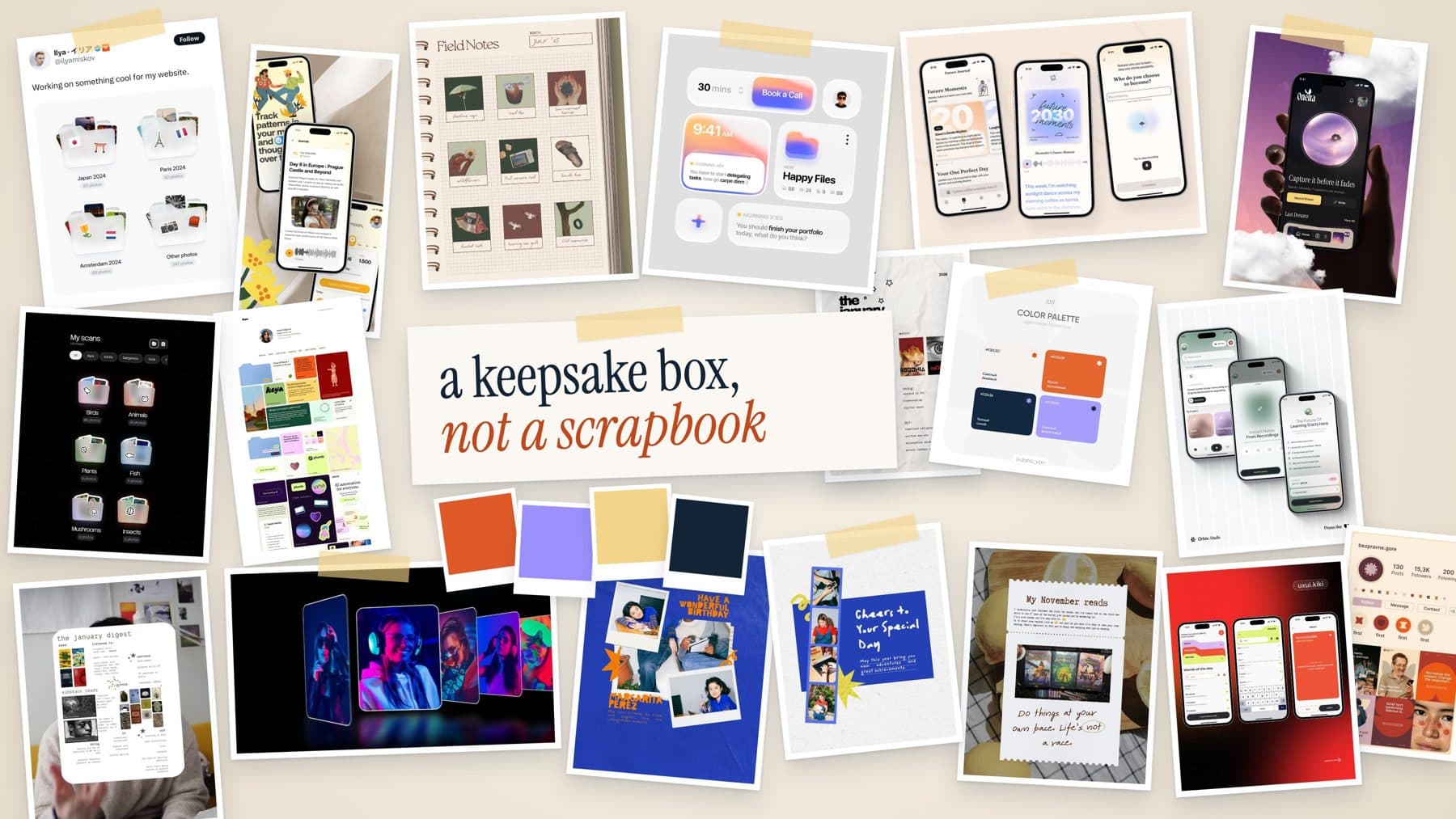
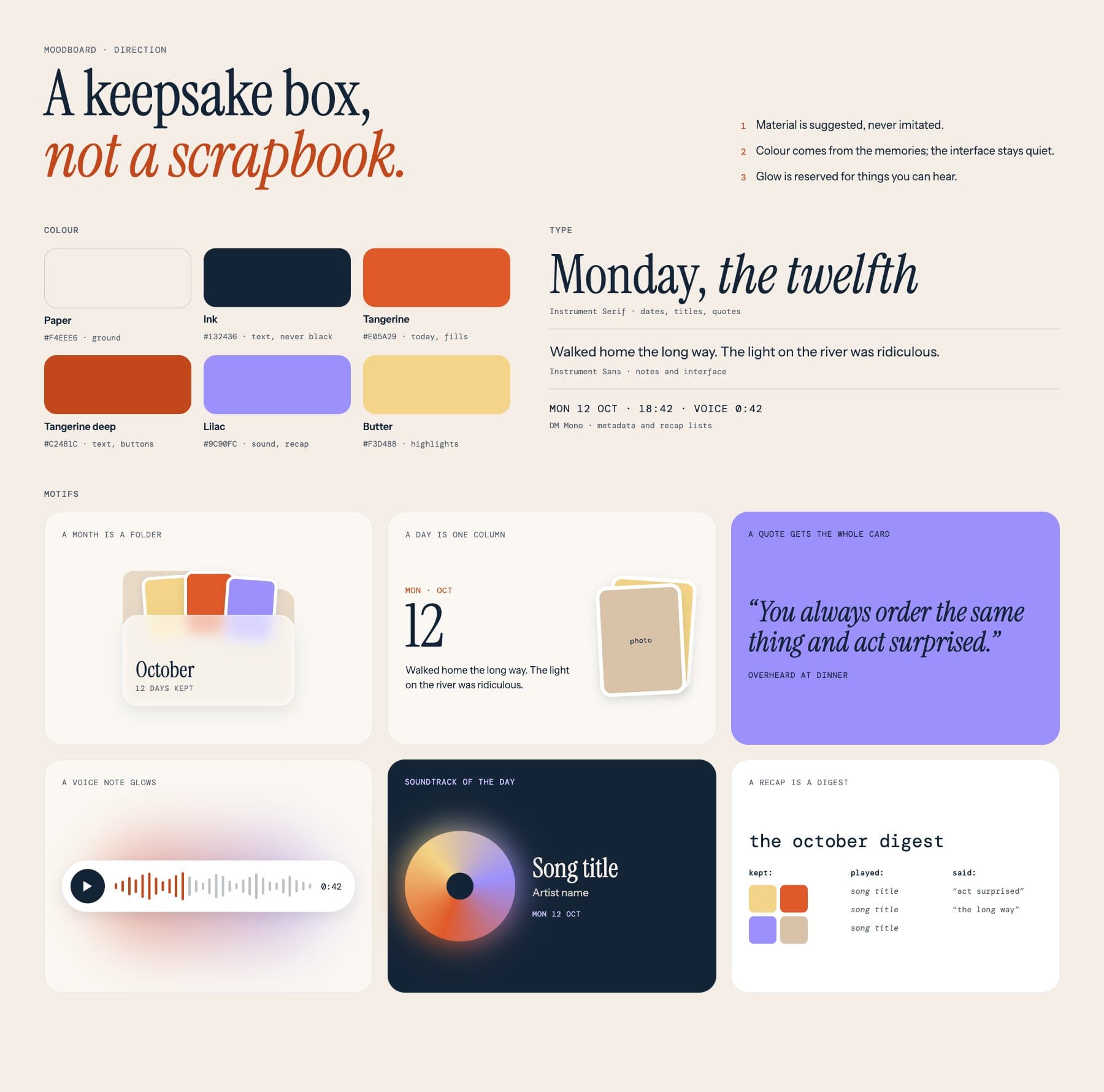
Feel.A moodboard to decide what it should feel like: warm and personal, something you want to open, not a project to maintain.
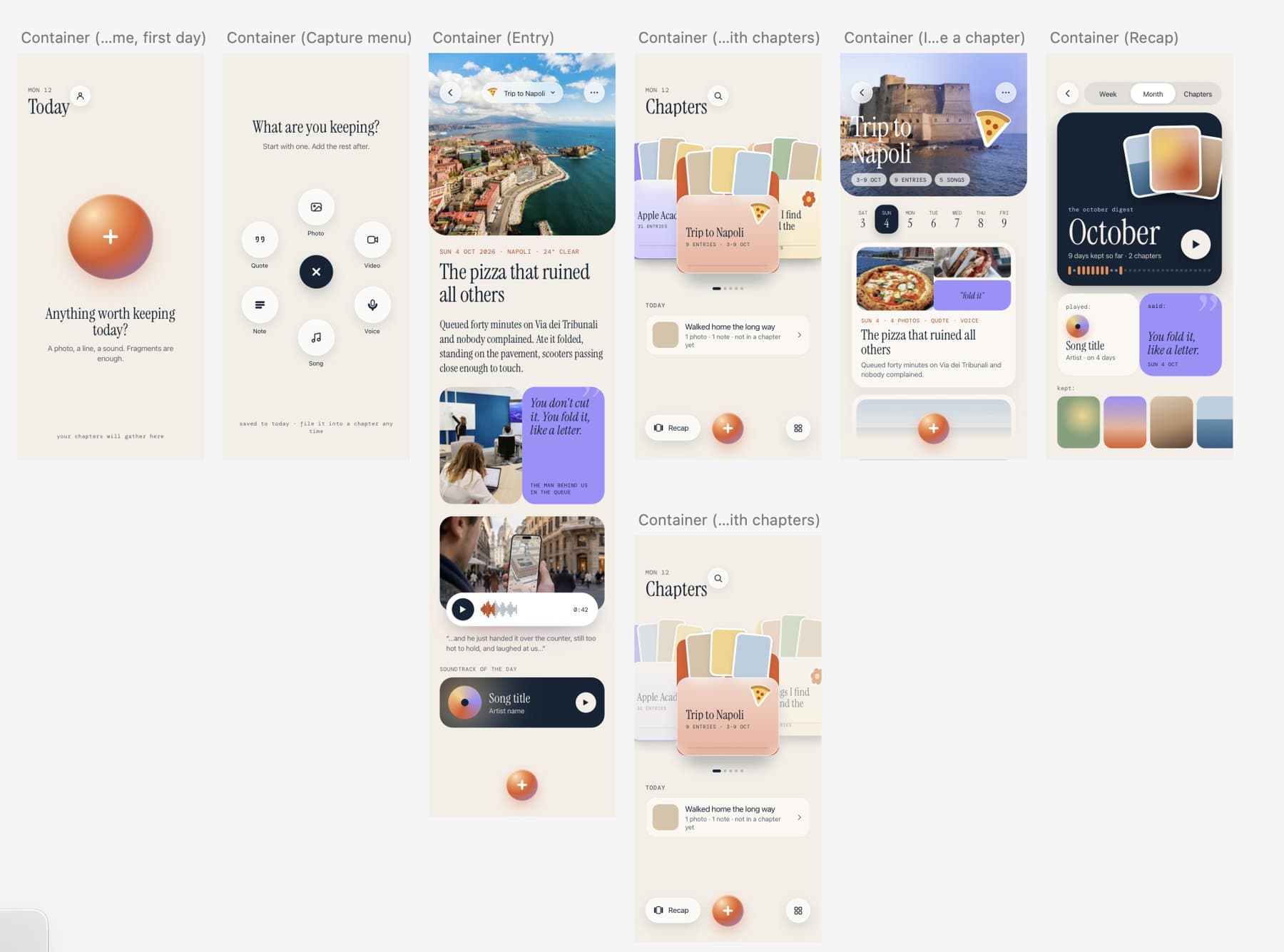
Design.Real screens for capturing, writing and organising. This is where the big idea clicked: chapters, not albums.
Build.Built in SwiftUI. I wrote the Capture view, Chapters and Recap; we kept the scope small enough to really build it, not just show pictures of it.
04 Design Principles
A keepsake box, not a scrapbook.
Twenty-one references, each sorted by the job it does for the app and what to leave behind. Out of them came a small system: paper, ink, tangerine, lilac and butter; Instrument Serif for dates and quotes, Instrument Sans for the interface, DM Mono for metadata.
01 · Material is suggested, never imitatedA month is a frosted folder with photos peeking out. No spiral bindings, tape or torn paper.
02 · Colour comes from the memoriesEach chapter gets its own colour and the interface stays neutral, so your photos lead.
03 · Glow is reserved for soundThe orange-to-lilac glow only appears on things you can hear: a voice note, the song of the day.
05 The hardest call
When should a memory be organised?
A · Chapter firstPick where it belongs before you capture. A decision at the worst moment.
B · Only by dateNo decisions at all, but a year becomes an endless scroll.
C · ChosenSaved to today, filed into a chapter any time. Capture stays instant; meaning comes later.
06 Solution
I wrote this in SwiftUIA chapter in secondsName it, pick a colour, add photos from the library. “What are you keeping?” asks for one fragment at a time: start with one, add the rest after.
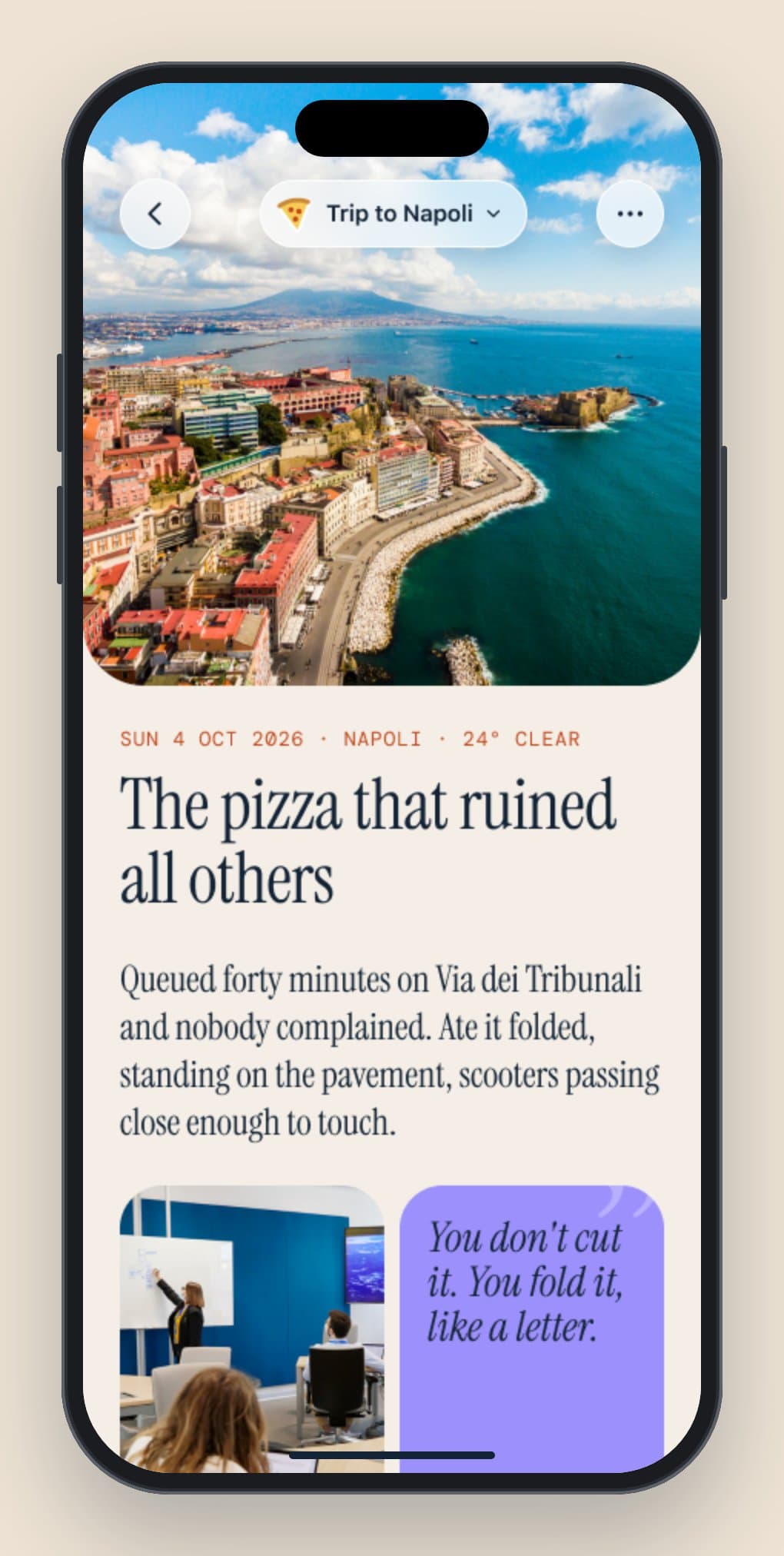
A day, in fragmentsA title, a note, something someone said and the soundtrack of the day. Each fragment has its own shape, so a day reads at a glance.
I wrote this in SwiftUISave first, file laterEverything lands in today first and can be filed into a chapter whenever you want. Back in Chapters, the day’s photos fan out of the folder, and Recent days keeps it one tap away.
I wrote this in SwiftUIYour month, played backRecap turns what you kept into a digest by week, month or chapter: the song you played, something someone said and the photos you kept. Press play and it unfolds as a full-screen story.
What the 4 usability tests changed
Heard: some people wanted to start from a template and fill a whole day from one view.Changed: “Start from a template” became an option on the capture wheel.
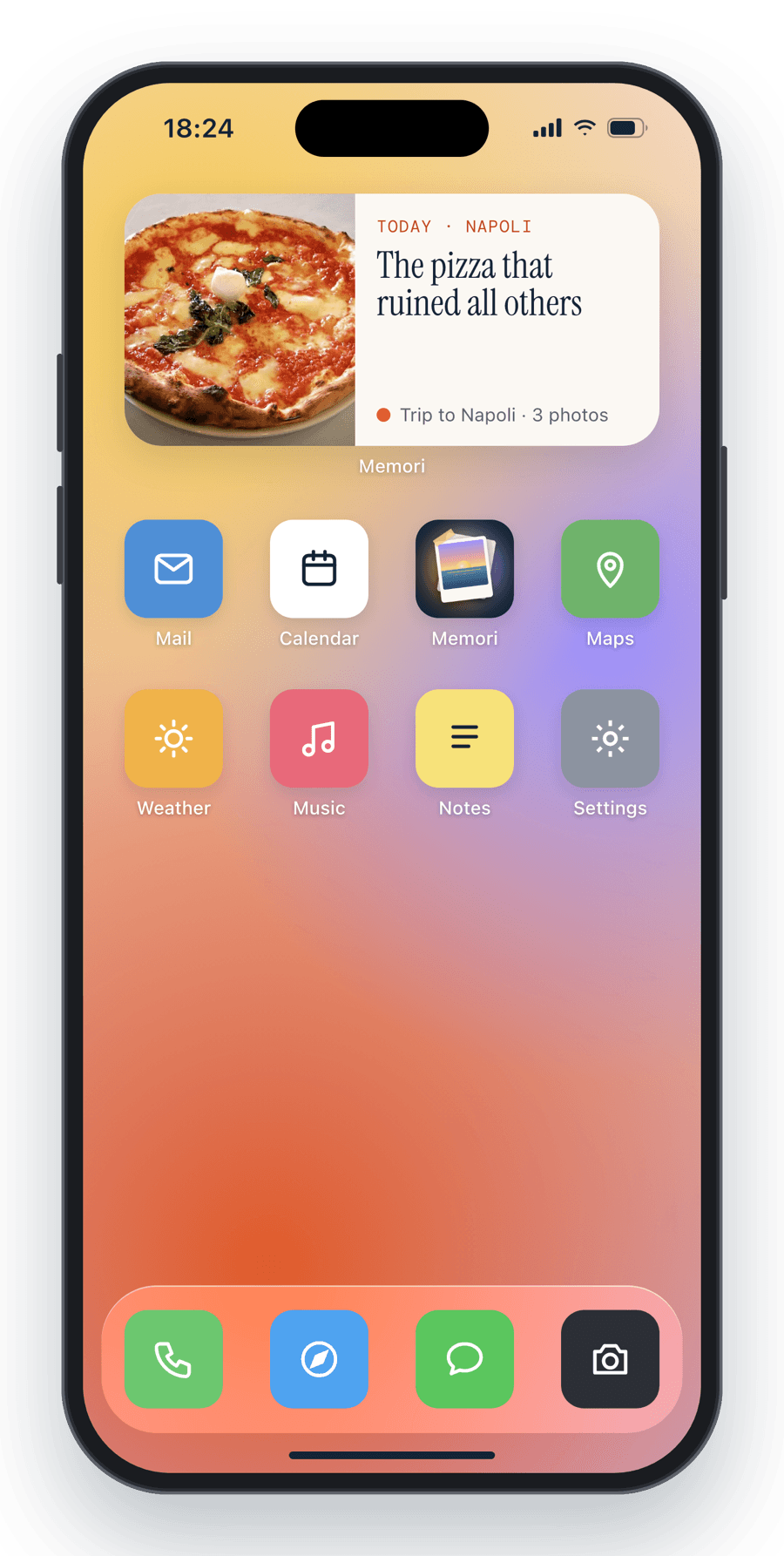
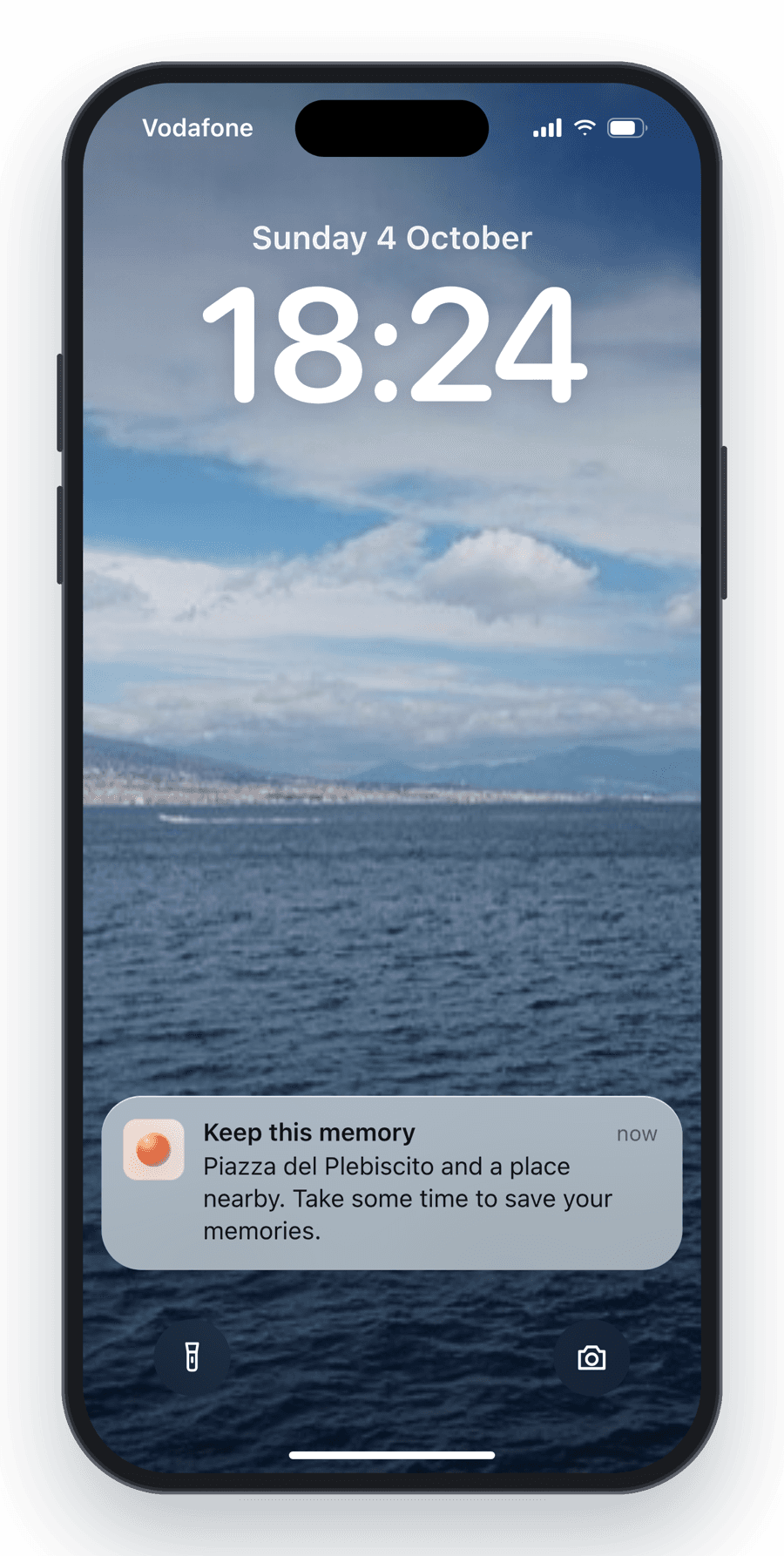
Heard: people needed a nudge to capture their day.Changed: we added a home screen widget and notifications.
Added after usability testing: a home screen widget and a gentle, location-aware nudge to keep the moment.
07 From the direction board to code
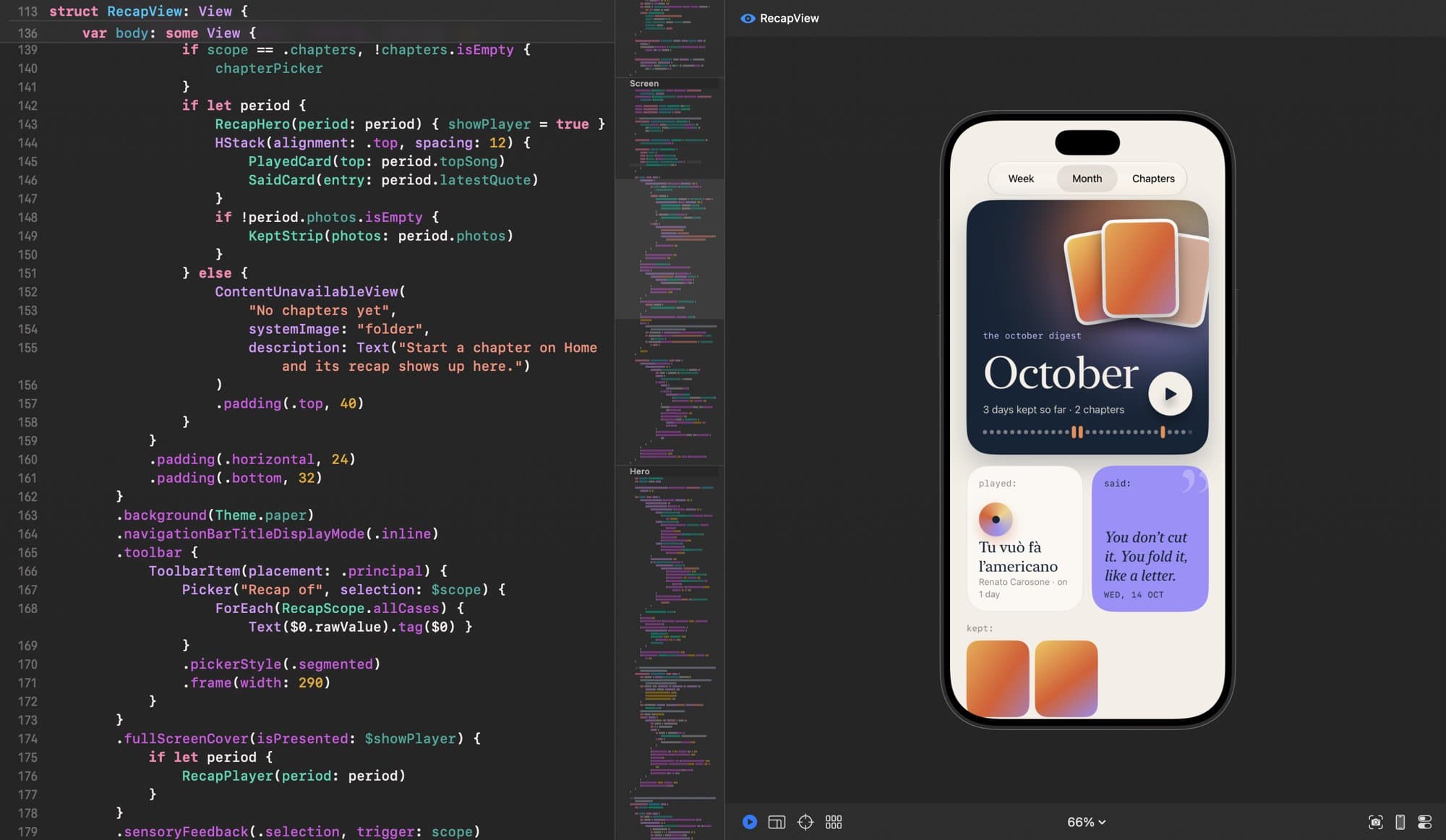
I wrote the SwiftUI for Capture, Chapters and Recap. The same system from the direction board lives in the code, so the build stays true to the design.
RecapView and its live preview in Xcode.
One view, three scopesWeek, Month and Chapters are one segmented picker over a RecapScope. The hero’s play button opens the story player as a full-screen cover.
Tokens, not hex codesColours and type come from a shared Theme (Theme.paper, a metaStyle() modifier for the mono metadata), so every screen pulls from the same palette.
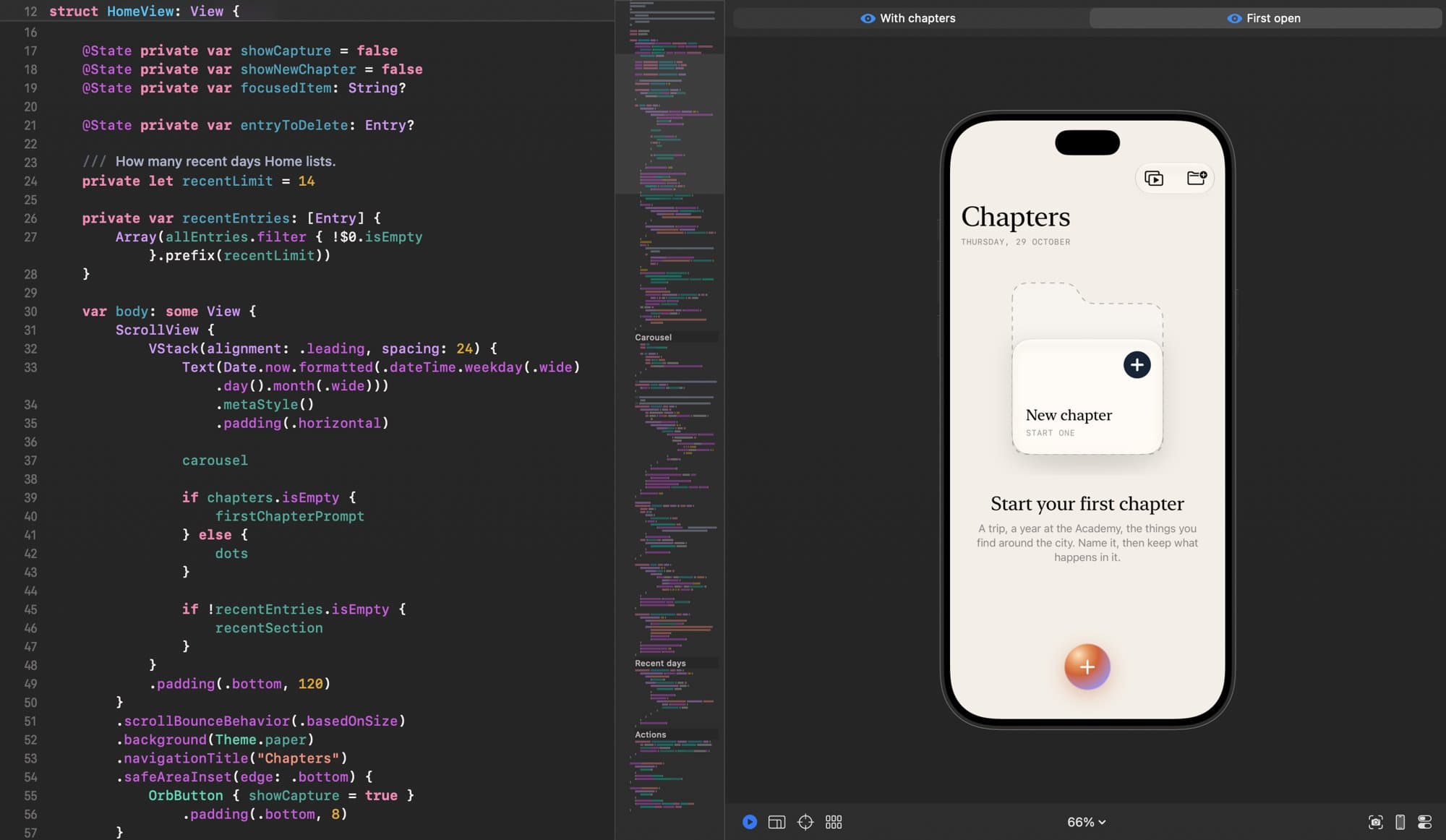
Empty states are designedFirst open gets its own prompt (“Start your first chapter”) with a dedicated Xcode preview, and Recap shows “No chapters yet” instead of a blank screen.
Feel, not just lookSwitching scope plays a light selection haptic through .sensoryFeedback.
HomeView, previewed in its “First open” state.
08 What we learned
19screens designed
6ways to capture
3layouts for a day
And every time we cut something, the memories got more room. Memories don’t need another album; they need a home.